
Google Lets Gemini Take Over Your Mac as Computer Use Arrives — With Warnings Buried in Its Own Fine Print

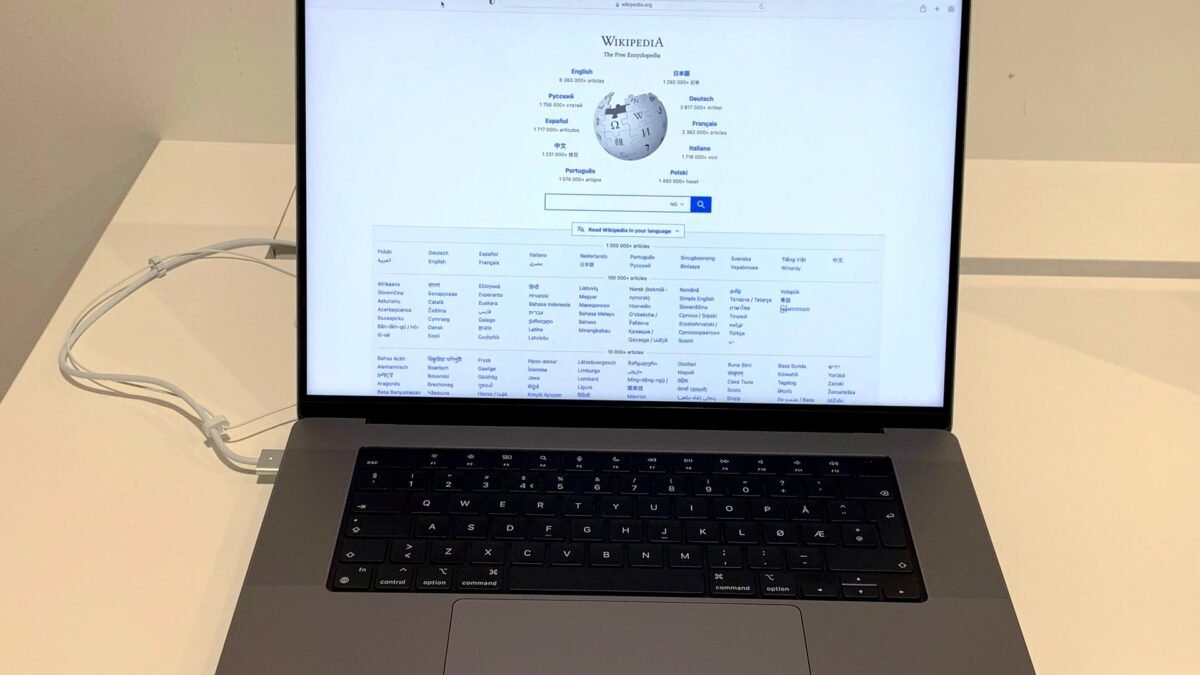
Google has given its Gemini assistant the power to take control of a Mac, clicking through menus, typing into forms and moving between apps to finish multi-step jobs on the user’s behalf. The feature, called computer use, began rolling out in the Gemini app for Mac on Thursday 19 November, and it arrives with an unusually blunt set of warnings from Google itself about what the agent can see, delete and do once it has the keys.
According to Google, the change turns Gemini from a chatbot that explains how to do something into an agent that simply does it. A user describes the job in plain words, tags the request “@Computer use”, and Gemini handles the clicking, typing, menus and forms that would otherwise take dozens of steps, according to the company’s announcement. The work happens inside what Google calls an isolated background window, with a live preview streamed into the chat, so the user’s own screen and cursor stay free to keep typing, designing or taking calls.
“Starting today, computer use in the Gemini app for Mac helps you get multi-step tasks done across your local files, desktop apps, and the web,” Michael Friedman, a group product manager for the Gemini app, wrote in Google’s announcement on 19 November. “This saves you time on the repetitive work that normally takes dozens of clicks. Just describe what you need, and Gemini handles the clicking, typing, menus, and forms for you.”
The launch is limited in scope, and deliberately so. Computer use is rolling out in English in the United States only, according to Google. It requires an Apple Silicon Mac running macOS Sequoia 15.0 or later, a personal Google account held by someone aged 18 or over, and a paid Google AI Plus, Pro or Ultra subscription. Intel Macs are left out entirely, and Google has given no date for expansion to other countries or to Windows.
Google’s own examples show the kind of work it has in mind. Gemini can batch colour-grade photographs in design software or set up complex 3D scenes; pull weights, dimensions and addresses out of local PDF files and type them into multi-box shipping quotes; gather metrics and screenshots from live dashboards across several regions and assemble them into a presentation in Google Slides; or analyse photographs of clothing in a folder, research prices, log the details and stage listings on resale sites. In the launch demonstration, a parent types “Could you take my kid’s butterfly sketch, model it and rig it for me in Blender?” and Gemini checks the workspace folder and the Blender installation, then builds and textures the butterfly in the 3D application.
To use it, a user adds “@Computer use” to a prompt. In the app’s settings, under Customize and then Connectors, new “Desktop” applications appear alongside the existing Git and Obsidian integrations, including Blender and Autodesk Fusion, according to 9to5Google. Google says users choose which applications Gemini can access, watch every step live, pause at any time, and approve key actions before they happen.
The announcement says nothing about which Gemini model powers the feature. Google launched its faster Gemini 4 Neon model earlier on the same day, but the company has not confirmed a link between the two releases. The Gemini app for Mac itself is a free download from gemini.google/mac, and Google’s help pages list 8 GB of RAM and 200 MB of free disk space as installation requirements.
Two years late, and Google knows it
Google is not first to this idea. It is, by the standards of the artificial intelligence industry, conspicuously late. Anthropic was the first major lab to demonstrate the capability publicly, releasing computer use in public beta for its Claude 3.5 Sonnet model on 22 October 2024, letting the model look at a screen, move a cursor, click and type through a developer API. OpenAI followed in January 2025 with Operator, a research preview for ChatGPT Pro subscribers in the United States, powered by a purpose-built model called the Computer-Using Agent, which combined GPT-4o’s vision with reinforcement learning trained on graphical interfaces. Google’s own first step in this direction was Project Mariner, a research prototype built on Gemini 2.0 Flash and announced in December 2024, which navigated websites through a Chrome extension.
Since then the race has moved quickly, and the approaches have diverged. OpenAI folded Operator into ChatGPT as ChatGPT agent in July 2025 and retired the standalone product at the end of August, running its agent in a cloud virtual machine rather than on the user’s own computer. Anthropic, meanwhile, has built its agent around the user’s actual desktop: its Claude Cowork application runs on Mac and Windows with a sandboxed shell and scoped folder access, falling back to screenshot-driven computer use when no direct connector exists. Google’s answer sits between the two. Gemini works on the real machine, like Anthropic’s, but inside a separate background window of its own, so it never takes over the user’s pointer — a design choice the company is clearly proud of, and one that shapes the whole pitch.
The Mac launch also lands in the middle of a much wider agentic push from Google. Only two days earlier, on 17 November, the company made its Gemini Tasks mode free for hundreds of millions of people using its new Gemini 4 Hydrogen model, in the United States, Canada, Australia, India, Japan and South Korea. Tasks is a mode inside the Gemini app, switched on by flipping a toggle from Chat to Tasks, and it lets the assistant call businesses and book appointments, complete purchases through Google Pay, sign into websites when prompted, analyse bills and build shopping lists. It began life in May 2026 as Gemini Spark, a 24/7 agentic helper offered to a small group of testers, before expanding to subscribers of the paid Google AI Ultra tier. This week’s move dropped the paywall for the hundreds of millions of people on the Hydrogen model. Google has also recently begun admitting early testers to a revamped “CC” agent announced in September, designed to help families stay organised across email, calendars, chats and tasks.
Seen together, the two launches describe a single strategy: Google is racing to put an agent between the user and every repetitive job on their devices, and it is doing it in the same week that its rivals are doing the same. Anthropic’s Claude can now join Google Meet calls to take notes and build documents while people talk. OpenAI has given its agents a wallet, letting ChatGPT pay for shopping. The question is no longer whether the big labs will hand their models the mouse. It is who users will trust with it.
The warnings Google wrote itself
That question is where Google’s launch becomes genuinely interesting, because the company has been unusually candid about the risks. The announcement itself keeps the tone upbeat — “Privacy and safety are built in,” Friedman wrote — but the support documentation behind it, examined by AppleInsider, reads very differently. It is a list of things that can go wrong, written by the company shipping the feature.
Before Gemini can operate Mac apps, users must enable computer use and grant macOS Accessibility and Screen and System Audio Recording permissions, if they are not already enabled, according to AppleInsider. Gemini also asks permission before controlling individual applications, and users can choose “Always allow”, which lets it access an application without asking each time. Google says sensitive actions still require additional confirmation, but the permissions matter because Gemini can interact with applications that are already signed in to personal or professional accounts. In its support documentation, Google warns that Gemini can access active sessions in native Mac apps and read or interact with multifactor authentication codes visible in desktop or messaging apps.
Another concern is prompt injection, in which malicious instructions embedded in otherwise ordinary content manipulate an AI system into doing something its user never requested. Google acknowledges that untrusted content encountered in one application could redirect Gemini into taking actions in another application it has permission to use. As a result, information found during a legitimate task could influence what the agent does elsewhere on the Mac. Google’s documentation also warns that Gemini can make mistakes, permanently delete Workspace or computer files, and send or share files with third parties.
Granting Gemini access to code editors or developer tools introduces additional risks. Google warns that such permissions could enable shell command execution or broader changes to the file system, potentially affecting files beyond those involved in the original task. Gemini can attempt to create temporary backups when its on-demand backup setting is enabled, but Google warns that some applications do not support backups and certain changes cannot be undone. The backups expire after 24 hours, or when the user submits another prompt, whichever comes first.
There is also a discrepancy in Google’s own documents that users should notice. The announcement lists AI Plus, Pro and Ultra subscribers as eligible, but AppleInsider reported that Google’s support documentation currently specifies only Pro and Ultra for controlling desktop applications. The difference may simply reflect documentation that has not caught up with the launch, but it is a reminder that the eligibility rules for this feature are still settling, and that the cheapest tier may not in practice unlock everything the announcement describes. Google AI Plus starts at $4.99 a month, according to MacRumors, while Pro costs $19.99 a month, according to reports, and Ultra is the company’s top tier.
These are risks Google documents, not evidence that the new feature is routinely damaging files or compromising accounts. But they show why an unexpected action by an AI agent can have consequences far beyond an incorrect chatbot response. A chatbot that hallucinates gives a wrong answer. An agent with the keys to a computer can delete the file the answer was about, email it to the wrong person, or follow an instruction hidden in a web page the user never read.
Apple tightens the locks on the same week
The timing of the launch is striking, because Apple spent the same week tightening the very permissions Gemini needs. Apple introduced new permission controls in the macOS 27.3 developer beta 2 on 16 November, three days before Google’s announcement. The changes give users more control over applications requesting broad access to their Macs. Under the updated system, users can restrict which applications an automation tool can control or which folders an application can access, require approval each time, and see an indicator when one application controls another. The changes followed Apple’s warning in October that Full Disk Access can expose files, messages, email and browsing history to applications with excessive permissions.
Apple’s new restrictions are not a direct response to Google’s announcement, and they do not automatically prevent every possible mistake an AI agent could make. Previously granted permissions also remain in effect. But the coincidence captures the moment: the operating system is being rebuilt, in public, to contain the agents that the AI companies are simultaneously being urged to unleash. MacRumors noted that Gemini’s computer-use feature arrives before macOS 27.3 launches, and that users who install applications asking for Mac permissions now will not have to re-grant those permissions after the update, nor will they see the new explanation screens Apple is putting in place.
Apple’s own advice, and that of AppleInsider, is to avoid giving an AI agent broad control over a primary Mac, especially one containing sensitive files or accounts. Gemini can help plan and prepare tasks without having permission to make potentially irreversible changes. That advice is worth taking seriously precisely because it comes from the platform owner, not from a rival. The Mac is Google’s first desktop target, and the company chose it for a reason: it is where the creative professionals, developers and knowledge workers who most want an agent also keep their most sensitive work.
Analysis: Why It Matters
The agent era has reached the desktop, and there is no going back
For two years, computer use was a research demonstration: impressive on stage, fragile in practice, and confined to developers and early testers. This week it became a consumer feature on the world’s most popular premium laptop, from the company that owns the browser, the search engine and the productivity suite most of its users already live in. That is the real news here. The technology is not new. The distribution is. Google is not asking users to install a strange new tool; it is adding the capability to an app many of them already have, on a machine many of them already own, for a subscription many of them already pay for. The friction that kept agents at arm’s length for two years has largely gone, and the adoption curve that follows will be steeper than anything the industry has seen so far. The companies that win this race will not necessarily have the smartest model. They will have the agent that is already on the machine, already signed in, and already trusted.
The background window is the whole product
Google’s most important design decision is also its least flashy: Gemini works in an isolated background window, and the user’s own screen and cursor stay free. Anthropic’s early computer use took over the user’s pointer, which made the agent feel intrusive and made the user a spectator in their own machine. OpenAI’s answer was to run the agent in a cloud virtual machine, which kept the user’s computer clean but cut the agent off from the local files and applications where the real work lives. Google has split the difference. The agent is on the machine, so it can reach local files and desktop apps, but it is walled off in its own window, so the user can keep working. That is a genuinely thoughtful compromise, and it is also a bet: that users will accept an agent they cannot see, as long as they can watch a live preview of what it is doing. Whether that trust survives the first time Gemini deletes the wrong file, or follows an instruction hidden in a web page, is the question that will decide whether this feature becomes a daily habit or a cautionary tale.
Google’s honesty about the risks is a strategy, not an accident
It is easy to read Google’s support documentation as a liability. It is better read as a strategy. The company knows that the first serious incident involving an agent — a deleted archive, a leaked credential, a payment made on a hidden instruction — will define the public conversation about this technology for years. By documenting the risks in its own words, Google is doing three things at once: it is managing expectations, it is shifting some responsibility onto the user who granted the permissions, and it is drawing a contrast with rivals who have been less forthcoming. Anthropic’s own safety reporting has faced scrutiny this year, and OpenAI’s agent ambitions have repeatedly collided with questions about what its systems can be made to do. Google’s candour does not eliminate the risks. It does make the company harder to accuse of hiding them. That is a calculated trade, and it is one the other labs will be forced to match.
The paywall tells you who this is really for
Computer use is available only to paying subscribers, while Gemini Tasks — the agent that calls businesses and makes purchases — was made free for hundreds of millions of people on the same week. The difference is deliberate. Tasks runs in Google’s cloud, on Google’s infrastructure, where the company controls the environment and the risk. Computer use runs on the user’s machine, inside their files and applications, where the risk is personal and the support cost is high. Google is charging for the privilege of letting its agent into the most sensitive place in a user’s digital life, and it is right to do so: the users who pay are the users most likely to read the permissions screen, and the users most likely to complain loudly if something goes wrong. But the split also creates a two-tier agent future. Hundreds of millions of people will get a free agent that can spend their money; a much smaller group will get the agent that can actually do their work. That gap will close, and when it does, the safety questions that are today confined to a few thousand early adopters will become questions for everyone.
The race is now about trust, not capability
Two years ago, the question was whether an AI model could use a computer at all. Today, every major lab can. Anthropic’s Claude, OpenAI’s ChatGPT agent, Google’s Gemini and a dozen smaller systems can all click, type and navigate. The benchmarks have converged, the demos have converged, and the capabilities have converged. What has not converged is trust. Users must decide which company gets to see their files, read their authentication codes, move money on their behalf and act on instructions hidden in content they never wrote. That decision will be made not on benchmark scores but on track records: which company has been honest about its failures, which has cleaned up after them, and which has built the off-switches that actually work. Google’s launch is a bid for that trust, written in the language of permissions and live previews. Whether users accept it will be decided by the first hundred thousand Macs that hand over the keys, and by what Gemini does with them.
What to Watch Next
- How quickly Google expands computer use beyond the United States, and whether the United Kingdom and Europe are next — or whether regulatory scrutiny delays the rollout.
- Whether Google clarifies the eligibility discrepancy between its announcement, which lists AI Plus, Pro and Ultra, and its support documentation, which currently specifies only Pro and Ultra for controlling desktop applications.
- The first public reports of Gemini making a mistake on a real Mac — a deleted file, a wrong form submission, or a prompt-injection incident — and how Google responds.
- Whether Apple tightens macOS permissions further in the final release of macOS 27.3, and whether previously granted permissions are grandfathered in or re-requested.
- Whether Anthropic and OpenAI answer with their own consumer desktop agents, and whether Claude Cowork or ChatGPT agent moves onto the Mac in a comparable form.
- Which Gemini model actually powers computer use, and whether Google confirms a link to Gemini 4 Neon, launched on the same day.
- Whether Google brings computer use to Windows, and how the feature changes when it leaves Apple’s tightly controlled hardware behind.
Sources
- Google — “Automate Mac tasks with Gemini computer use” (blog post by Michael Friedman, Group Product Manager, Gemini App), 19 November 2026
- TechCrunch — “Google gives Gemini the ability to use your Mac for you”, 19 November 2026
- 9to5Google — “Gemini app for Mac adds computer use to control desktop apps”, 19 November 2026
- MacRumors — “Google’s Gemini Can Now Control Apps on Your Mac”, 19 November 2026
- AppleInsider — “Gemini can now control Mac apps, but you shouldn’t let it”, 19 November 2026
- TechCrunch — “Google expands access to Gemini Tasks, which can help with calls, purchases”, 17 November 2026

About the Author — Abdul Mannan
Related Articles

European Commission Confirms AI-Powered Cyberattack Forced Staff Systems Offline for More Than Ten Days
Brussels has confirmed an AI-generated cyber campaign forced its staff systems offline for more than ten days —…

Google Launches Gemini 4 Neon, Its Fourth Model in Seven Weeks, Promising Carbon-Level Power at Flash Speed
Google has launched Gemini 4 Neon, a mid-tier model it says matches its flagship Carbon on coding and…
Anthropic Prices Record $81.3 Billion IPO at $83 a Share, Valuing the Claude Maker at $1.5 Trillion
Anthropic has priced its initial public offering at $83 a share, raising a record $81.3 billion and valuing…